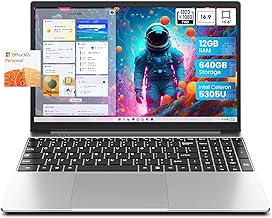
Insider Tips for Choosing Right Computer Equipment
In 2026, choosing the right computer equipment is crucial for maximizing productivity and enhancing user experience. Whether you are a professional looking for a powerful workstation or a casual user seeking an efficient laptop, understanding the key factors that influence your decision can lead to long-term satisfaction. This guide offers insider tips that will help you navigate the vast landscape of computer equipment available today.
Understanding Your Requirements
The first step in selecting the right computer equipment is to clearly define your needs. Every user has different requirements based on their tasks and usage scenarios. For instance, graphic designers and video editors demand high-performance hardware, while students may prioritize portability and battery life.
Start by listing the primary tasks you intend to perform. Are you planning to run complex applications, play high-end games, or simply browse the internet? In 2026, powerful applications continue to evolve, and knowing your software requirements is essential. For example, if you use software like Adobe Creative Cloud, you need a machine with a strong GPU and sufficient RAM.
Choosing the Right Specifications
Once you have identified your needs, the next step is to delve into specifications. In 2026, specifications play a vital role in performance and usability. Key specifications to consider include:
- Processor: Look for the latest generation processors that offer faster processing speeds and improved efficiency.
- RAM: A minimum of 16 GB is recommended for multitasking and running heavy applications smoothly.
- Storage: Solid State Drives are preferred for their speed. Consider how much storage you will need based on your files and applications.
- Graphics Card: Essential for gamers and design professionals, choosing the right GPU can significantly enhance your visual output.
It is advisable to future-proof your equipment by opting for slightly higher specifications than you currently need. This approach ensures that your computer remains capable as software demands increase over time.
Evaluating Brand Reliability
Brand reputation matters in 2026, especially when it comes to computer equipment. Well-established brands typically offer better customer service and warranty support. Research and read reviews to gauge user satisfaction and reliability. Brands that have consistently performed well in the past are likely to continue providing quality products.
Consider visiting forums and communities where users discuss their experiences. For instance, if you are contemplating a specific laptop model, check platforms like Reddit or tech blogs for honest feedback. Engaging with other users who have similar needs can provide valuable insights that are not always available in professional reviews.
Warranty and Support
When investing in computer equipment, warranty and support services can save you time and money in the long run. In 2026, many manufacturers offer extended warranties and support packages. Evaluate what is included with the purchase and consider options that offer on-site support or quick turnaround repair services. Some brands even provide online chat support which can be extremely helpful for troubleshooting.
People Also Look For:
- Optiplex Intel i5 2400 16GB RAM 256GB NGFF SSD WiFi Windows 11 Desktop PC 22-inch VenoScorp V100 Computer Bundle (Renewed)
- HP Stream 14" Laptop | Intel N4120 Processor | 4 GB RAM | 64 GB eMMC | Intel UHD Graphics | HD Display | Dual Speakers | Microsoft...
- TRIGKEY 6 Core 12 Thread Mini Computer Desktop PC Ryzen 5 5500U(Up to 4.0GHz)16G DDR4+500G NVME SSD 15W TPD Micro PC | ...
- 14" Pastel Pink Laptop, N5095 Processor (Up to 2.9 GHz), 16GB DDR4 RAM, 1TB NVME SSD, FHD 1920×1080 IPS Display, 5000mAh Batte...
- Baieyu Fanless PC Core i5-8260U, Industrial Fanless PC Windows 11 Pro 16GB RAM DDR4 512GB SSD, 2×HD-MI, 2×RS232 COM, 2�...
Considering Ergonomics and Aesthetics
In 2026, the design of your computer equipment should not be overlooked. Ergonomics plays a crucial role, especially if you spend long hours working on your device. Look for laptops or monitors with adjustable stands, keyboard layouts that suit your typing style, and screens that reduce eye strain.
Aesthetics also matter, particularly in professional environments where your equipment reflects your brand image. Companies are increasingly focusing on sleek designs and customizable options. Ensure that your equipment not only meets performance criteria but also aligns with your personal style or corporate branding.
Portability vs Performance
When choosing between portability and performance, ask yourself how often you will be moving your equipment. If you frequently travel, a lightweight laptop with good battery life may be more beneficial. In contrast, if you work primarily from a fixed location, a robust desktop setup may provide the performance you need.
Evaluate the trade-offs and select equipment that strikes a balance between portability and performance based on your lifestyle. For instance, many professionals in 2026 opt for hybrid devices that combine the power of a laptop with the convenience of a tablet, providing versatility for various tasks.
Staying Within Budget
Budget considerations are paramount when selecting computer equipment. In 2026, the market offers a wide range of options across different price points. Determine your budget before you begin shopping and stick to it, while also keeping in mind that sometimes investing a bit more can lead to significant benefits in performance and longevity.
Look for sales events and promotions which frequently occur throughout the year. Black Friday, Cyber Monday, and back-to-school sales often provide substantial discounts on high-quality equipment. Additionally, consider refurbished models from reputable sellers as they can offer great value without compromising performance.
Researching Software Compatibility
Before making a final decision, ensure that the equipment you choose is compatible with the software you plan to use. In 2026, software companies frequently update their systems, so verify the hardware requirements for the applications that are essential for your work. This step helps avoid any potential performance issues or compatibility problems down the line.
Moreover, if you plan to use specialized hardware like external GPUs or VR equipment, confirm that your selected computer can support these technologies. Being proactive in your research can save you from future headaches.
Seeking Expert Advice
If you find yourself overwhelmed by choices, seeking expert advice can be invaluable. Many electronics retailers offer personalized consultations that help you find the best equipment based on your specific needs. In 2026, online platforms also provide virtual consultations with tech experts who can guide you through the selection process.
Additionally, consider reaching out to professionals in your field who can share their experiences and recommendations. Networking with peers can provide insights into the best equipment tailored for your industry, ensuring that you make a well-informed decision.
Testing Before Purchase
Whenever possible, test equipment before making a purchase. In 2026, many retailers allow customers to try out laptops and peripherals in-store. Pay attention to how the keyboard feels, the screen quality, and overall usability. A hands-on experience can significantly influence your satisfaction with the product.
For online purchases, look for retailers that offer generous return policies. This flexibility allows you to test the equipment in your environment, ensuring it meets your expectations without commitment.
Upgrading and Customizing Equipment
As technology advances, the ability to upgrade and customize your equipment can extend its lifespan. In 2026, many laptops and desktops are designed for easy upgrades. Look for models that allow you to increase RAM or swap out storage drives, as these upgrades can enhance performance significantly without the need to purchase a completely new system.
Customization options also play a role in how well your equipment meets your needs. Some manufacturers offer build-to-order services, allowing you to select specific components that align perfectly with your requirements.
Conclusion on Future Planning
When investing in computer equipment, always consider your future needs. Technology evolves rapidly, and what seems sufficient today may not be adequate in a few years. By planning for the future and considering upgrades and compatibility, you can maximize your investment for years to come.